TABLE OF CONTENTS
If you're looking to delete multiple tasks without needing to log into the web portal via our Tasks & Dispatch menu area, similar functionality can be achieved using our exposed API endpoint DELETE/v2/task/search.
API Explorer
First, you'll need to launch our API Explorer in your browser and navigate to the DELETE/v2/task/search section.
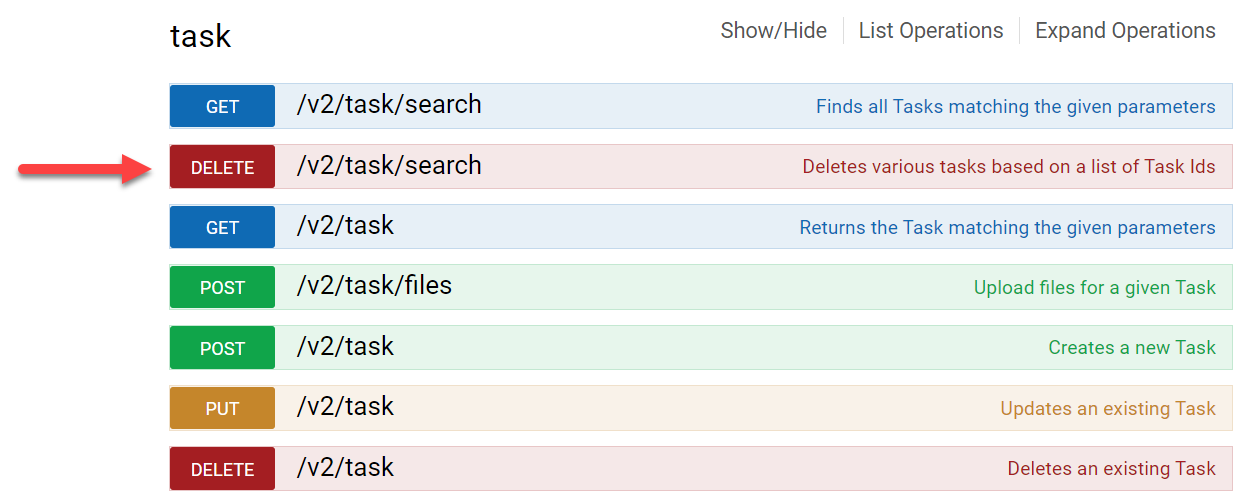
After expanding the DELETE /v2/task/search section, the request's Model Description and Schema will display more information, and where you can enter the required parameter values and hit 'Try it out!'.
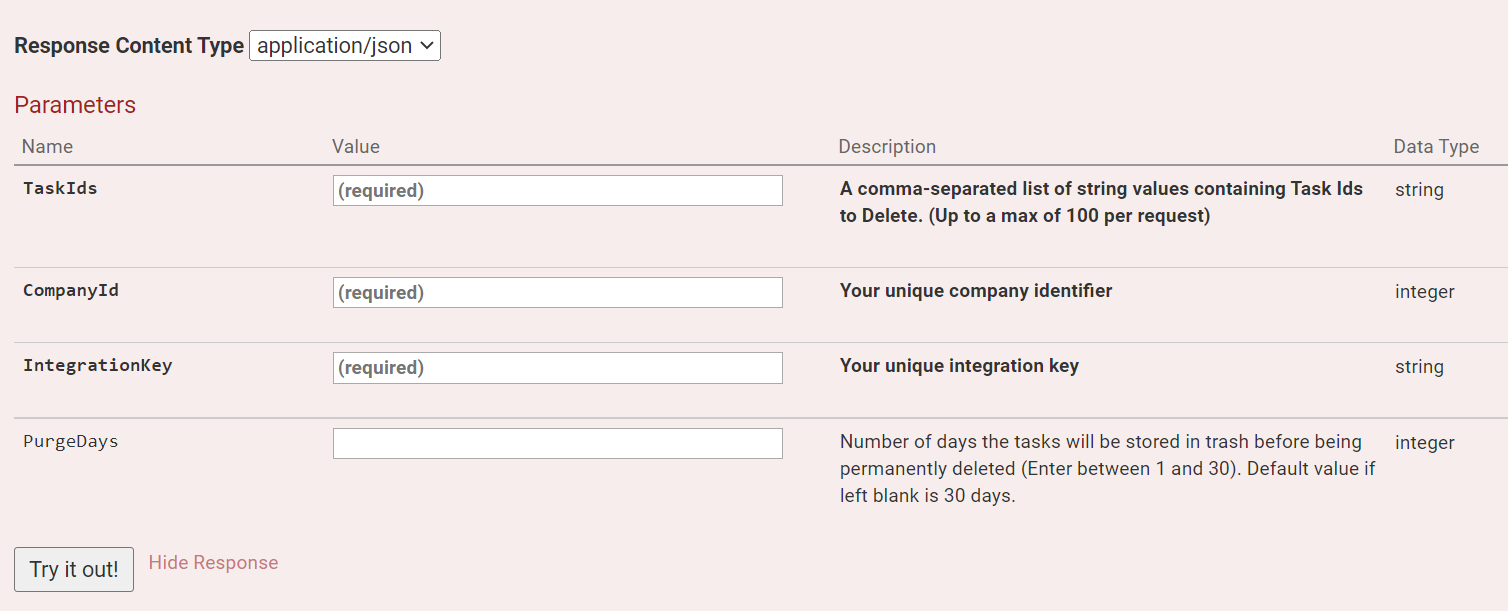
Required Parameters
- TaskIds - Enter up to 100 task IDs separated by a comma.
- CompanyId - Acquired from Organization & Users > Organization Setup > Integrations when logged into your account's web portal.
- IntegrationKey - Acquired from Organization & Users > Organization Setup > Integrations when logged into your account's web portal.
Deleted tasks will be stored in Trash by default for 30 days unless specified by PurgeDays.After hitting 'Try it out!', the specified tasks will be deleted, and the Request URL will be exposed for use in your custom REST requests, where the required parameters can then be dynamically populated.
TaskIds can be acquired using GET/v2/task/search and extracting the response's TaskIds for use in the deletion request.
App Example
Attached is an example app that demonstrates the above-mentioned requests:
- GET/v2/task/search - Acquire numerous TaskIds based on task status
- DELETE/v2/task/search - Deletes acquired TaskIds
Simply create a new Data Entry form and import the .xlsx file.
The example has two respective fields requiring your CompanyID and IntegrationKey that can be obtained via Organization & Users > Organization Setup > Integrations.This example's destination URLs point to the US Node API, if on EU or AU, the URL will need to change to include 'secure-eu' or 'secure-au'.