
The GET verb on the User API finds all users matching the given parameters. The User API allows various usage scenarios, allowing you to update/delete/create users from 3rd party systems using the API.
On the Cloud, this API is available via SSL-secured HTTPS connection using the REST GET verb.
The format query string parameter controls the desired response format. Specify either XML or JSON.
/api/v2/user/search?format=xml/json
Endpoints & API Explorer
| Node | API Endpoint | API Explorer |
|---|---|---|
| US | api/v2/user/search | Model Description/Schema & Parameters |
Parameters
The GET verb on the User API finds all users matching the given parameters. The required and optional parameters for a GET call to the User API are outlined below:
| Name | Type | Description | Required |
|---|---|---|---|
| CompanyId | Integer | Your unique Company Id found on the Organisation Setup page of the secure website. | ✓ |
| IntegrationKey | String | Your unique Integration Key found on the Organisation Setup page of the secure website. | ✓ |
| Name | String | User name to search for. | ✓* |
| String | User email address to search for. | ✓* | |
| ExternalId | String | User external ID to search for. | ✓* |
| Status | String | Search for Users in status. | |
| UseNames | Boolean | Returns Names instead of GUID identifier for Groups and Folders. | |
| UseExternalIds | Boolean | Returns External ID instead of GUID identifier for Groups and Folders. | |
| PageNo | Integer | The page number from which to start reading results (0 based). | |
| PageSize | Integer | The page size (number of rows) to return. Maximum allowable value is 250. | |
| IncludeDeletedUserAudits | Boolean | Includes audits for deleted users when set to true. False by default. |
✓* – At least one parameter is required
Example
Given that the API is REST-based, you can access it directly via your web browser to test it using a REST plugin like the Postman plugin for Google Chrome.
Request URL
https://eforms.mobileform.net/api/v2/user/search?CompanyId=8XXXX&IntegrationKey=dXXXXXXXXXXXXXXXXXXXXXXXXXXXX&Email=user2%40mycompany.com
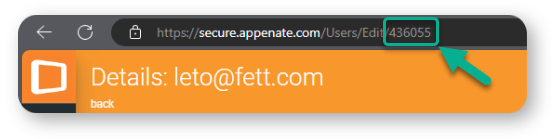
Below is an unpopulated sample of what a GET response body might look like when communicating with our User API.
Response Body
{
  "Users": [
    {
      "Id": "eXXXXXXXXXXXXXXXXXXXXXXXXXXxXX",
      "UserId": 5XXXXX,
      "Type": "Premium",
      "FirstName": "Charlie",
      "LastName": "Smithers",
      "Email": "user2@mydomain.com",
      "LoginId": "user2@mydomain.com",
      "Status": "Active",
      "TimeZone": "Argentina Standard Time",
      "TimeZoneOffSet": -180,
      "Country": "AR",
      "WebsiteRole": "VendorAdmin",
      "CreatedDate": "2024-10-08T16:05:14.1076150Z",
      "LastUpdated": "2025-07-11T06:46:43.6611800Z",
      "LastActivity": "2025-04-29T14:12:49.3127810Z",
      "UserDevices": [
        {
          "Id": "eXXXXXXXXXXXXXXXXXXXXXXXXXXXX",
          "OS": "Windows",
          "OSVersion": " Windows 11 Home 23H2",
          "Hardware": "Microsoft Corporation Surface Laptop 4",
          "AppVersion": "6.16.21 (3.25)",
          "LastActivityDate": "2024-10-14T13:39:43Z"
        },
        {
          "Id": "3XXXXXXXXXXXXXXXXXXXXXXXXXX",
          "OS": "Android",
          "OSVersion": "31",
          "Hardware": "Motorola: moto g200 5G",
          "AppVersion": "6.18.01 (32.2)",
          "LastActivityDate": "2024-10-14T16:57:44Z"
        },
        {
          "Id": "fXXXXXXXXXXXXXXXXXXXXXXXXXXXX",
          "OS": "Windows",
          "OSVersion": " Windows 11 Pro 24H2",
          "Hardware": "Micro Computer (HK) Tech Limited Venus series",
          "Alias": "DESKTOP-J6MQBDI",
          "AppVersion": "6.21.00 (3.68)",
          "LastActivityDate": "2025-04-29T14:12:49Z"
        }
      ],
      "UserAudits": [
        {
          "Id": 5XXXXX,
          "Email": "user2@mydomain.com",
          "LoginId": "user2@mydomain.com",
          "On": "2024-10-08T16:05:14.2794975Z",
          "Off": "2024-10-08T16:11:18.4782949Z",
          "OffReason": "Activated",
          "Type": "Premium",
          "Status": "Invited"
        },
        {
          "Id": 5XXXXX,
          "Email": "user2@mydomain.com",
          "LoginId": "user2@mydomain.com",
          "On": "2024-10-08T16:11:18.4782949Z",
          "Type": "Premium",
          "Status": "Active"
        }
      ],
      "Folders": [],
      "Groups": [],
      "CompanyId": 8XXXX
    }
  ],
  "TotalRows": 1
}