Google BigQuery - Data Source Connector
Our platform enables you to quickly and easily connect your data sources to a Google BigQuery table. This enables a one-way synchronization—changes in the Google BigQuery table are downloaded into your data source on a regular basis. Your data source will continue to update automatically until you remove the connector or an error occurs (such as losing authorization to access the database).
Before you add a Google BigQuery Connector, ensure you have a valid Google Cloud Platform Connection set up for your organization. You’ll also need to configure a few basic things in Google Cloud Platform.
To set up a Google BigQuery Connector to your Data Source, follow these steps:
- Go to Connected Data → Data Sources.
- In the list of available data sources, hover over the data source you wish to connect. Click the settings link.

- On the Settings page, locate the Connector section.
- Click
 .
. - A window will appear with the available connectors.
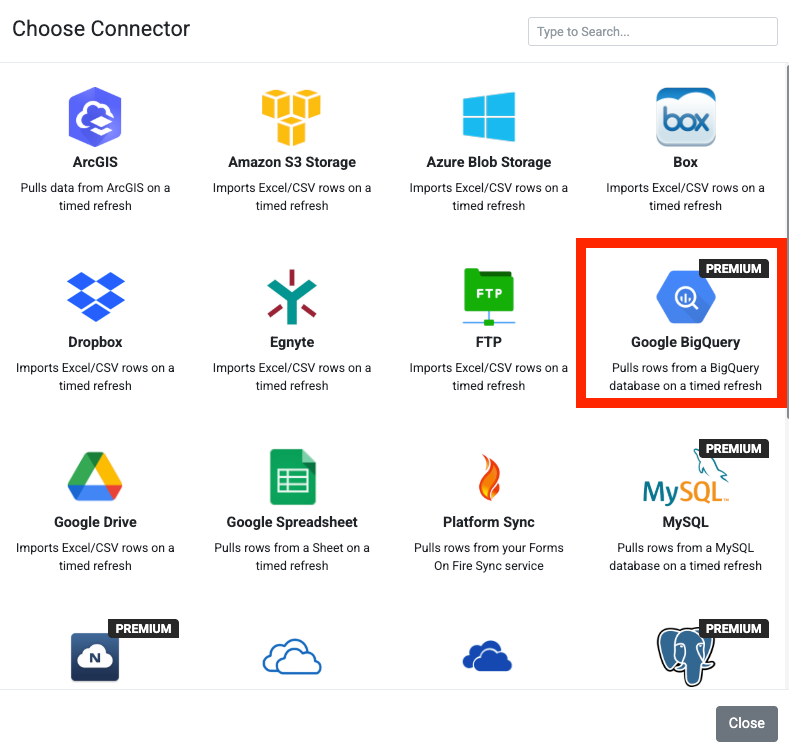
- Choose the Google BigQuery Connector. The page will refresh with your newly added connector.
Next, configure the following:
- Project ID: Specify the project ID where your dataset and table are located.
- Dataset Name: Specify the dataset that contains your table.
- Table Name: The BigQuery table from which rows will be retrieved.
- Ignore Internal Columns: When enabled, columns whose names start with an underscore
(e.g.,_lastupdated) are ignored. If a column named _identity exists and internal columns are not ignored, it will be the first column in the data source; other internal columns are appended at the end.
- Refresh Frequency: How often this connector pulls data.
When you save your changes, the connector will run for the first time and subsequently at the interval specified in the connector settings.
Wait about a minute, then check the Rows page for your data source. If rows aren’t downloaded, there may be an issue connecting to the Google BigQuery API. To investigate, click View Logs next to your connector on the Settings page.
| NOTE: Efficient BigQuery Data Retrieval with Paging This connector supports the retrieval of large datasets from BigQuery by implementing paging when fetching rows, thereby overcoming single-request API limitations. |
Related Articles
Data Source Connector – Google BigQuery
Our platform enables you to quickly and easily connect a data source to a Google BigQuery table. This enables a one-way synchronization to occur, where any changes in the Google BigQuery table are downloaded into your data source on a regular basis. ...Task Connector – Google BigQuery
Our platform lets you quickly and easily connect your data sources to a Google BigQuery table, enabling streamlined data synchronization. One-Way Synchronization This connector supports one-way synchronization, meaning any updates in the BigQuery ...Form Connector – Google BigQuery
Our platform’s Premium BigQuery connector provides a direct link to Google’s BigQuery database service. This tool allows you to automatically insert your form entries as new rows in a target BigQuery database table. This creates a one-way ...Connecting to Google BigQuery
Our platform enables you to connect quickly and easily to Google BigQuery.This article covers the basic requirements that will be needed to run BigQuery connectors. Before continuing with a step-by-step guide on setting up a Google Cloud Platform ...Data Source Connector – Google Spreadsheet
Our platform enables you to quickly and easily connect your data sources to data from a Google Spreadsheet. This enables a one-way synchronization, where any changes in the Google Spreadsheet are downloaded into your data source regularly. Your data ...