Excel Online Connector
The Excel Online form connector allows for form-captured data to be pushed as rows into an Excel worksheet, similar to how our Google Spreadsheet form connector functions.
Note: Requires a successfully authenticated MS Graph Connection.
Adding an Excel Online Connector
On the Connectors page of a Data Entry Form is where you'll be able to add Form Connectors that trigger when a form is uploaded and push data out of the platform to desired systems.
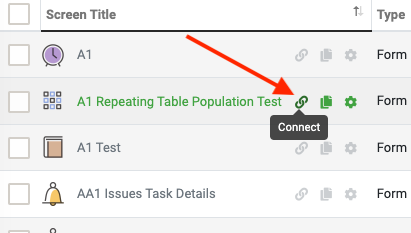
To get to the Connector Page, from the Screens page click on the Connector icon.
You can also get to the Connectors Page while on any of your Forms by clicking on Connectors from the top right menu.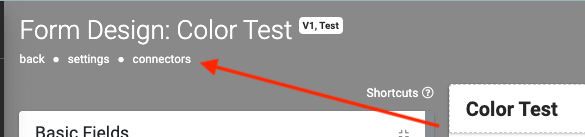
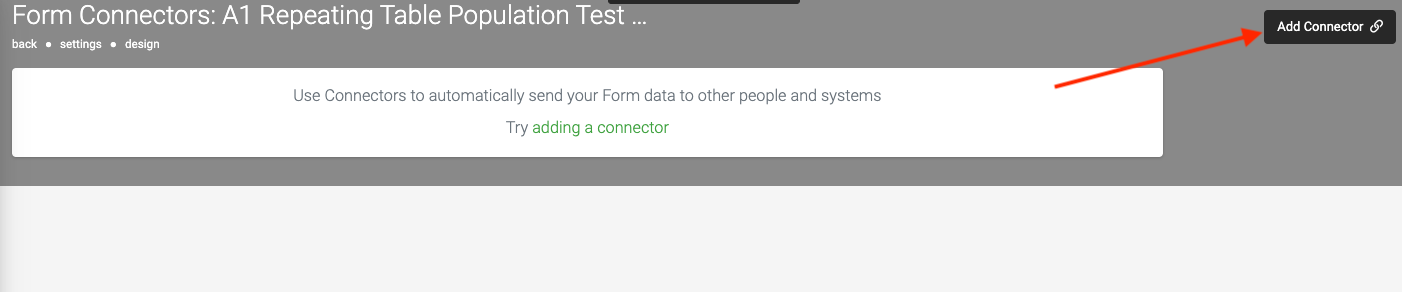
To add an Excel Online connector, when on a form's connector page, click the "Add Connector" option (top-right) to display a list of available connectors and select the Excel Online option.
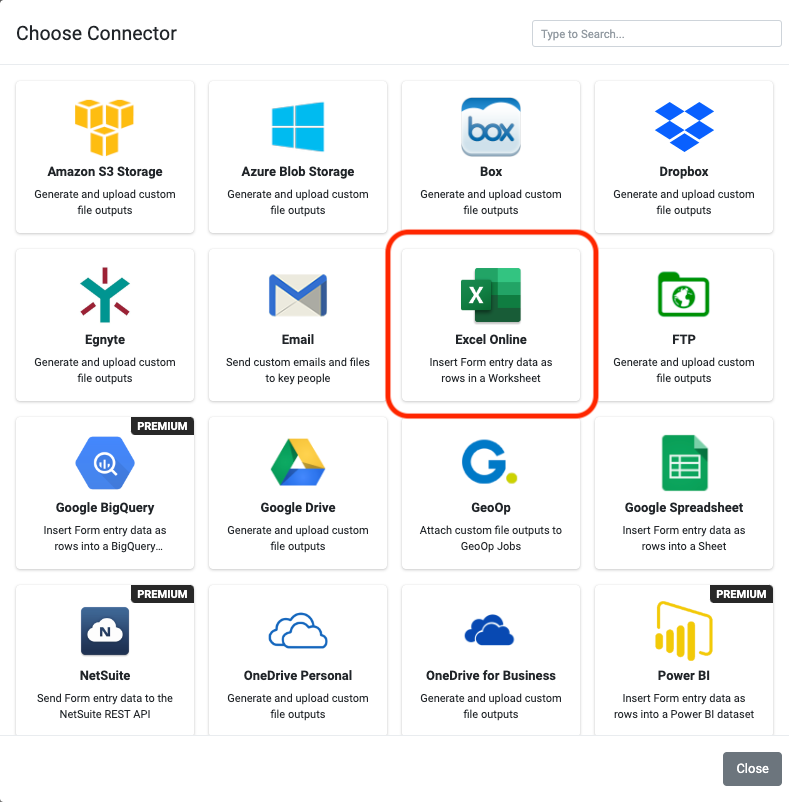
After Selecting the Excel Online Option, the page will refresh with your newly added connector ready to configure.
[Keep in mind to use an Excel online connector an MS Graph Connection is necessary.]
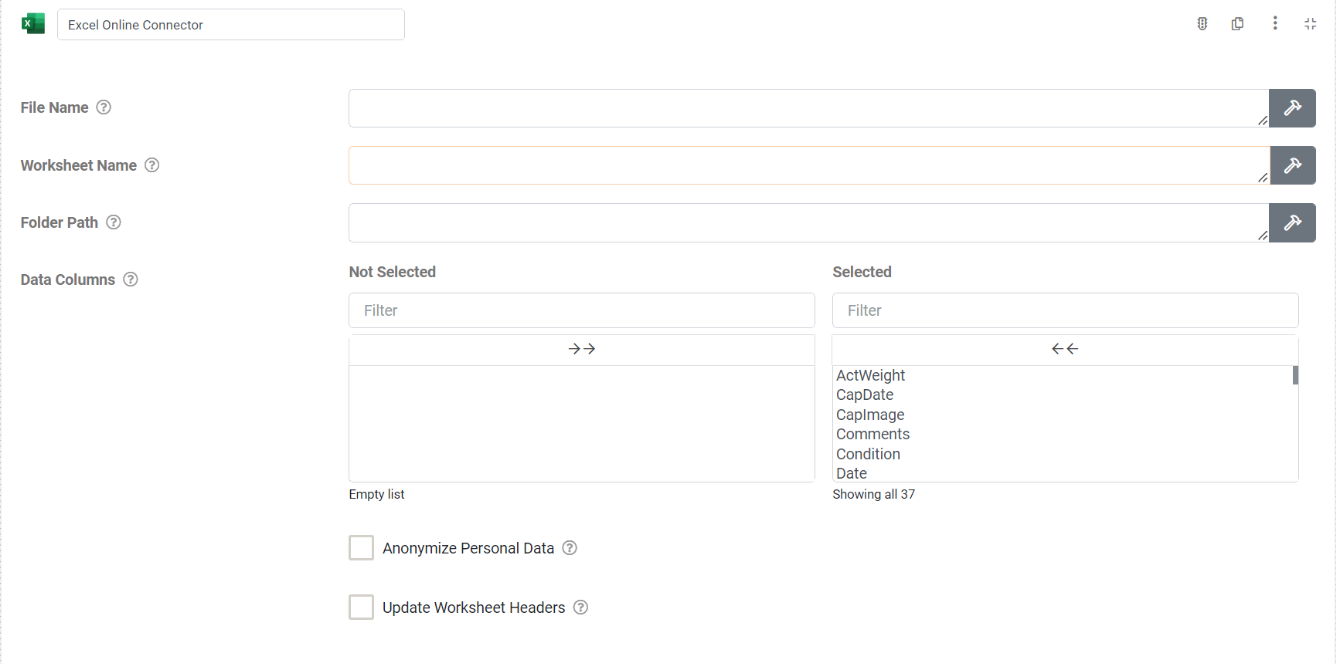
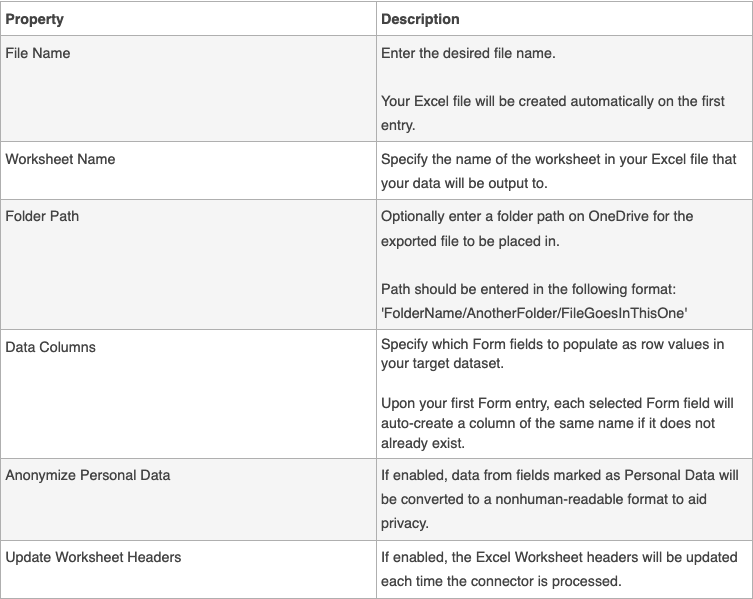
After configuring the connector, click "Save" (top-right) to enable the connector. Once the users devices have synced, the form that has the connector will start pushing data out to your Excel Online file.
Related Articles
Common Connector Settings
TABLE OF CONTENTS Basic Settings Add a Data Template Add a Run Condition Common Settings Overview Most of our connectors are different in various ways depending on what systems they connect to and the functionality they provide. However, there are ...Excel Templates
TABLE OF CONTENTS Adding a Template to a Form Testing Your Templates Tips and Tricks For Great PDF Output "Kitchen Sink" Example Template Our platform allows you to export Data in the layouts you want by using Microsoft Excel templates. If you ...Importing Fields from Excel
When you need to create a big form with many questions, it can be time consuming to build all of these in our Form Designer. In most cases, the form that you are creating already exists as a Word or Excel file that is being printed out. That file ...Egnyte Connector
Governance and collaboration for a content critical age — Egnyte's secure enterprise cloud storage. Our built-in connectors allow for seamless integration with your Egnyte Connect account, ensuring efficient workflows across your organization with ...Box - Data Source Connector
Our platform enables you to quickly and easily connect your data sources to data from a file in Box. This enables a one-way synchronization to occur - where any changes in the Box file are downloaded into your data source on a regular basis. Your ...