Dropbox Changes for 2021

Dropbox Changes for 2021

Dropbox has made changes to their authorization process.
We have already built support for these changes into the platform, but there is a manual step that is required by an administrator of your account.
This needs to be done before October 2021 otherwise your Dropbox connectors will stop working.


Steps required:

  • Head over to the Platform's Connections page, find your Dropbox connection(s) and click on the “Change” button.

  • This will display a new popup window where you can change your authorization settings for Dropbox.
    You may have to first sign in to your Dropbox account before you can see it.
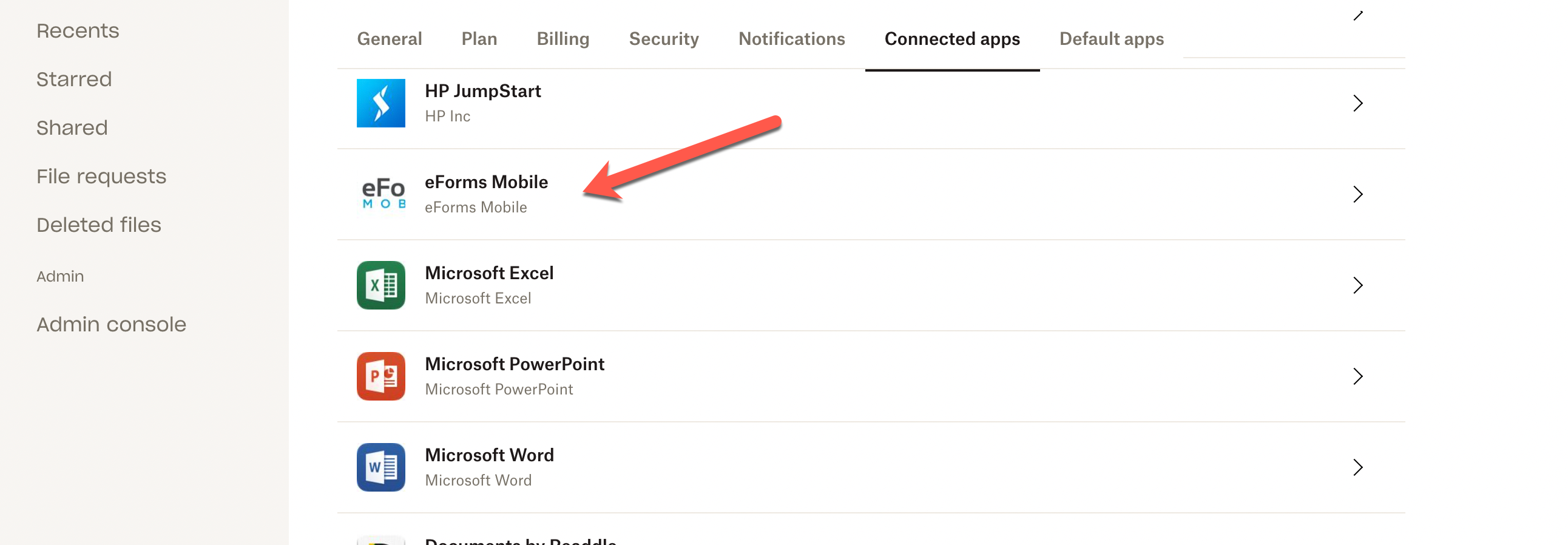

  • In this window, scroll down to “View Dropbox content”, and then to the “eForms Mobile” app.
    Click on the arrow to open up the section revealing a “Disconnect” button.
    Click on this button.
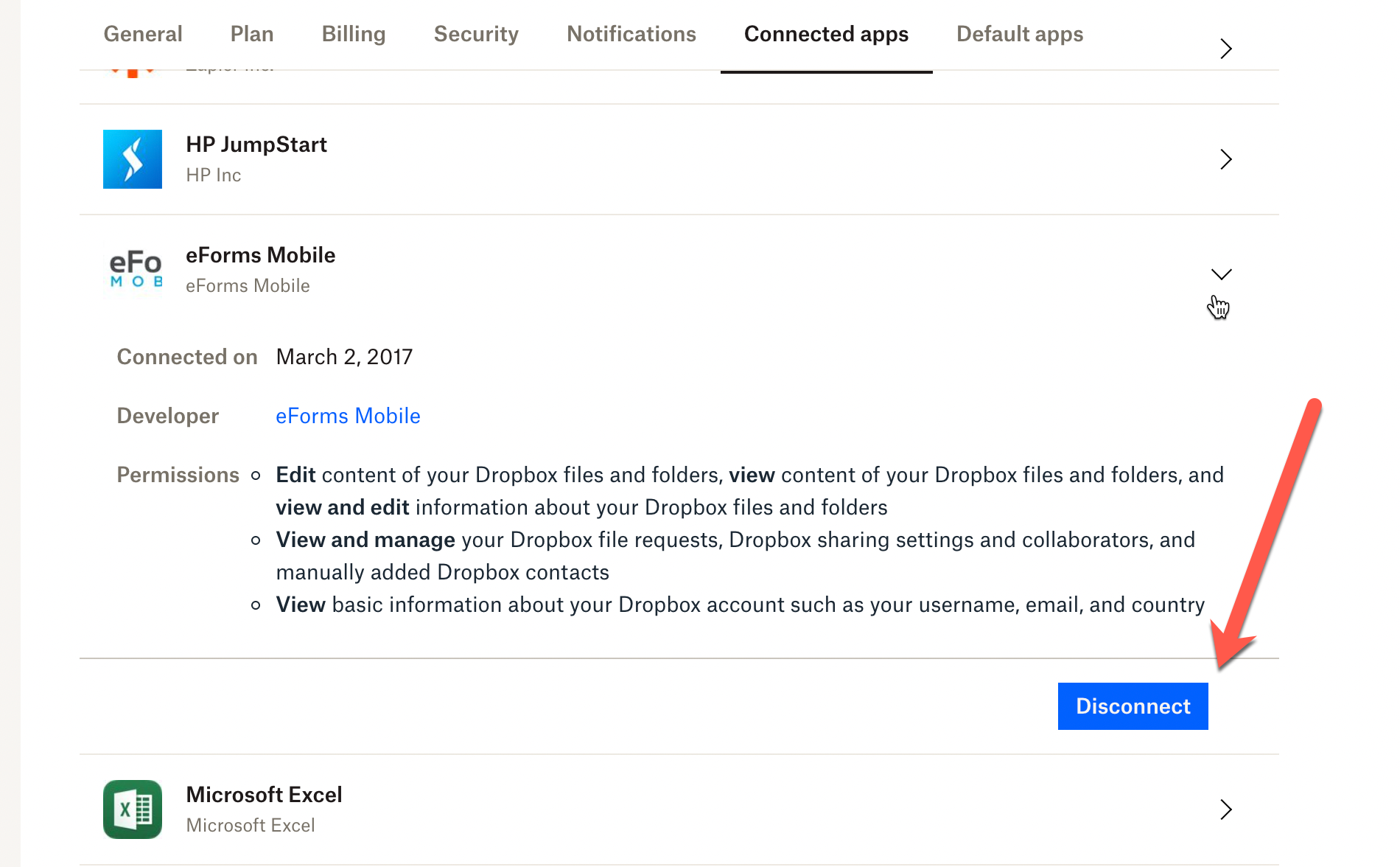
  • A popup will ask you to confirm, click on “Disconnect” again.
    You can now close the window.
  • The Connections page will automatically refresh, and when reloaded, show that the Dropbox connection is not working. 
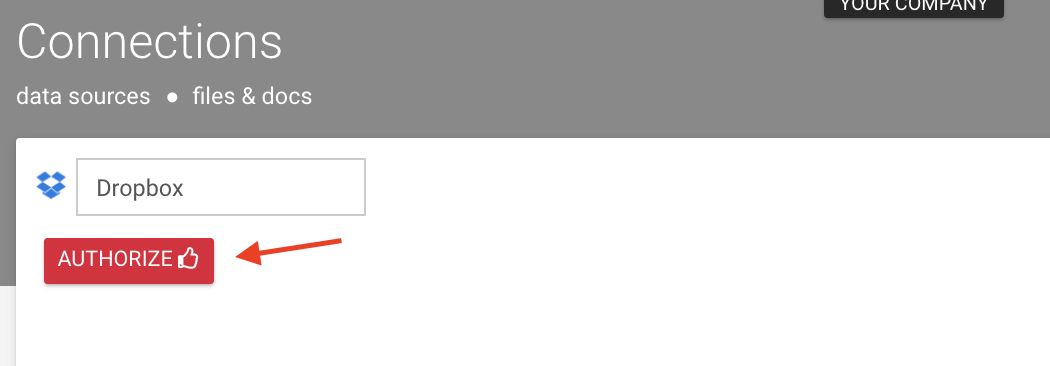
  • You can click on “Authorize” like normal to reauthorize the connection.  If there's not an "Authorize" button, delete the connector and re-add Dropbox.  You'll see the "Authorize" button.
  • Grant "eForms Mobile" access.

  • Once you have completed the authorization flow, the connector will be working again.
    • Related Articles

    • Dropbox

      Our platform enables you to quickly and easily connect your data sources to data from a file in both Dropbox Personal as well as Dropbox for Business. This enables a one-way synchronization to occur - where any changes in the Dropbox file are ...
    • Dropbox - Data Source Connector

      TABLE OF CONTENTS Adding a Dropbox Data Source Connector Our platform enables you to quickly and easily connect your data sources to data from a file in both Dropbox Personal as well as Dropbox for Business. This enables a one-way synchronization to ...
    • How do I connect my account to Google Drive/Spreadsheet/Dropbox/FTP/OneDrive etc.?

      You must first create a Connection for the target service. Connections are set up at organization level and thus apply to all connectors that you create in the organization account. Ensure you are logged in as an administrator in your organization ...
    • Adding a Box Connection

      Box is a Secure Cloud Storage Platform designed specifically for the purpose of securely storing your data files. This versatile platform allows users to easily share their files with others, functioning similarly to other popular cloud file storage ...
    • FAQ- Form Connectors

      Q: Why is my connector not applying to older versions of my form? A: Connectors are version-specific. The connector settings for one form version do not apply to other versions of the form. If you want to change the settings of a specific version of ...