Sketch Field Type

A Sketch Field Type can be used to capture signatures, or to annotate images or drawings.
Configuring the Sketch Field Type
Simply drag and drop a Sketch Field from the left-hand tolbar onto your Form page and configure it using the right-hand properties panel.
Capture Signature: Displays an inline drawing area for the user to enter their signature.

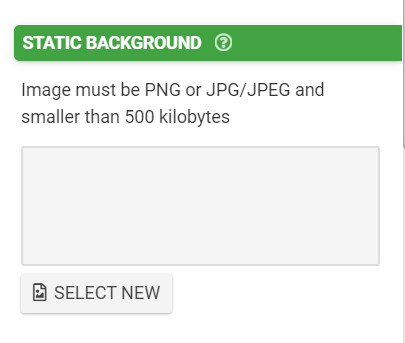
Static Background: Upload a default image for use as the background for sketch drawing. This is useful for scenarios like marking out issues on technical diagrams, annotating floor plans and working with other outline/blueprint-type images.
Dynamic Background:
Define a calculation/formula that will dynamically populate an image into this field.
e.g., CONCAT('http://myexamplesite.com/', {{myfield}}, '.jpg')
e.g., {{mydsfield[2]}}
Is Personal Data: Indicates that data captured in this field may contain personal or sensitive data, which in turn can be anonymized when exported from the platform.
This feature can be very useful for excluding any sensitive or otherwise unwanted media files from being exported by a form connector set to send media files separately (signatures, for example). Simply check this box for any fields with media that you wish to exclude and check both the "Send Media Files Separately" and "Anonymize Personal Data" checkboxes on the associated form connector (see below).


NOTE: Use of this option does not grant or imply additional security, protection or privacy of data.
Related Articles
Gallery Field Type
TABLE OF CONTENTS Layout & Styling Background Color Validation & Behavior Required Validation Behavior Gallery Item Limits Output Gallery Field Data in a Custom Word/Excel Template This is an advanced field type that allows a user to upload multiple ...Date/Time Field Type
TABLE OF CONTENTS Basic Properties Data Name Title Text Hint Text Date/Time Type Working with Date & Time values in formula and bound Data Source scenarios How to get Date & Time values stored in your local time zone Layout & Styling Field Layout ...Section Field Type
TABLE OF CONTENTS Basic Properties Data Name Title Text Hint Text Static Image Dynamic Image Layout & Styling Background Color Validation & Behavior Visibility The section field is a read-only field type that lets you display text and/or an image in ...Numeric Field Type
A numeric field may be used to capture and display numeric inputs in decimal or integer format. Basic Properties Data Name This is the name of the field that should be referenced in any form of logic or API calls. Users will not see this name on the ...Choices Field Type
Choices Field Type TABLE OF CONTENTS Basic Properties Data Name Title Text Hint Text Display Style Answer Choices Display/Value Columns Sort Order Filter Rows Allow Form Fields to Modify Data Source Option Colors Option Background Color Multiple ...