Adding Data Connections
Depending on the connector you want to use, you may need to set up a Connection first. To add a connection, go to the Connections page which is accessed via Menu -> Connected Data -> Connections. You must be an Administrator-level user to see this option.
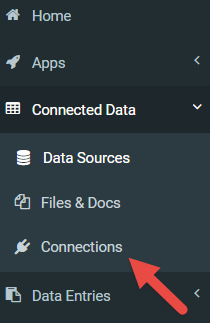
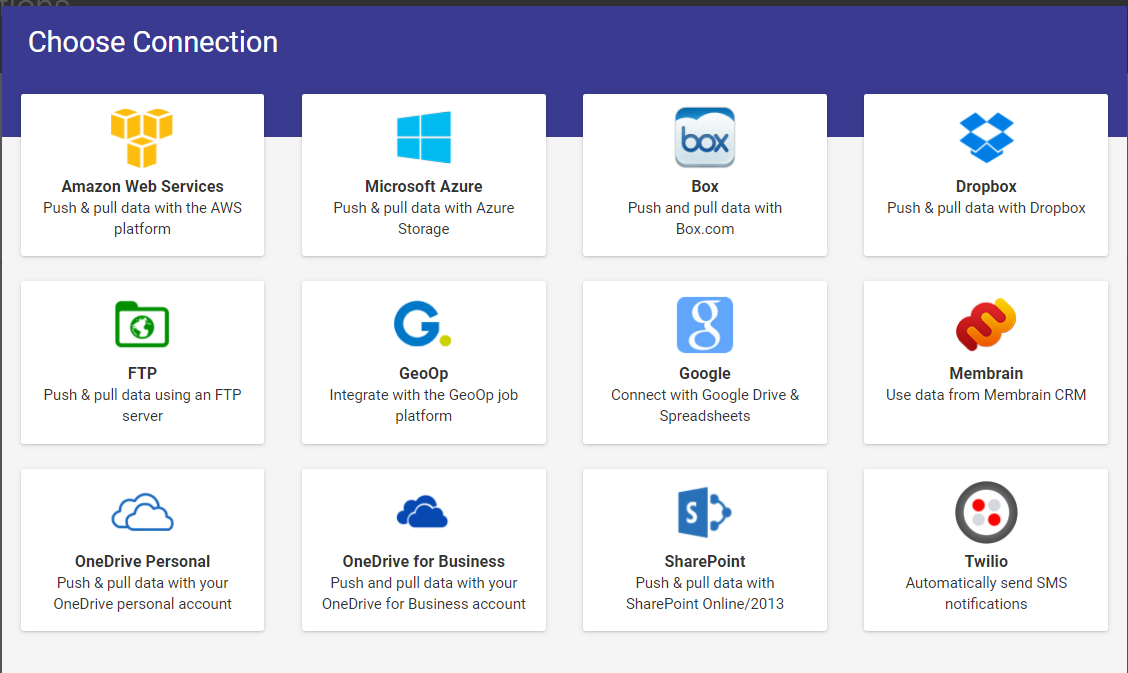
On the Connections page, click the Add Connection button to add a new connector. This will bring up a list of connections from which to choose. Some connections are only available on Premium accounts.
You will need to grant access by filling in the required details for the connector that you are adding. This will authorize the platform to use the connection. After granting access, you should be returned to the Connections page. Your connection will be verified automatically, and you will see a green tick if everything is working.
Related Articles
Adding a Box Connection
Box is a Secure Cloud Storage Platform designed specifically for the purpose of securely storing your data files. This versatile platform allows users to easily share their files with others, functioning similarly to other popular cloud file storage ...Adding a PostgreSQL Connection
Authenticating a connection to PostgreSQL enables communication between the two platforms. This must be successfully added before Form Connectors can push or Data Source Connectors can pull data. TABLE OF CONTENTS Adding Authenticating Additional ...Adding MySQL Connection
MySQL is an open-source Relational Database Management System that uses SQL to create and manage databases. As a relational database, MySQL stores data in tables of rows and columns, organized into schemas. Our MySQL Connectors allow you to push and ...Adding a QuickBooks Connection
QuickBooks simplifies accounting for small businesses by automating tasks such as bookkeeping, invoicing, time tracking, sales tax management, budgeting, bank reconciliation, and inventory tracking. By using apps from our platform, these tasks can be ...Adding a OneDrive Connection
A few differences exist in how a OneDrive Personal and OneDrive for Business Connection can be added to our platform. Allowing Form Connectors to push data out and Data Source Connectors to pull data into the platform. We've combined both to compare ...