Key Concept: Data Sources
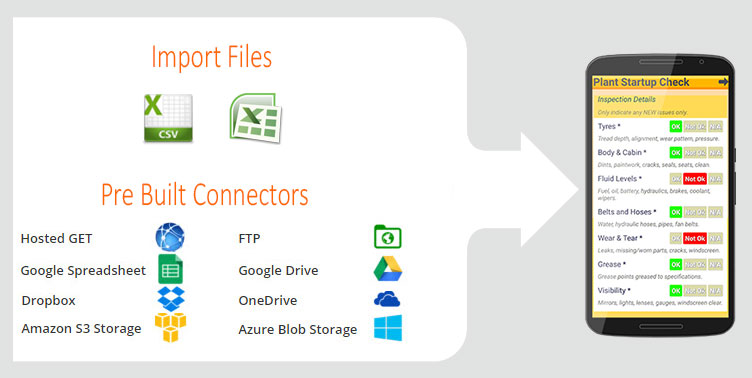
Data Sources let you create and maintain logical data sets that can be used in Screens. A few examples are a list of choices, a product catalog, and a list of contacts.
You can use Data Sources in Choices questions across any number of Forms. Data Sources are also used as the backing data for other Screen types. As an example, you could have a Contacts data source which you expose as a "Listing" type screen. This would have its own icon on your app start screen.
Data Sources save time by centralizing your data sets in one place. They also automatically update any changes you make to any Screens to which that Data Source links. The platform will ensure that mobile app deployments of these linked Screens will also seamlessly update.
For even greater flexibility, technical users are able to integrate with other systems by using Data Source APIs (GET or PUT). Changes to database tables or lists stored in other systems can automatically update the mobile app. For example, if inventory software is where the catalog of products is maintained for your company, then changes to that catalog of products could automatically update in the mobile app, by using the Data Source API(s).
Related Articles
Key Concept: Screens
TABLE OF CONTENTS Form screen/Data Entry Form List of Data screen Details screen Board of Icons screen Map a Data Source screen Screens List Creating a new Screen Screens allow you to assemble your app in an extremely flexible and simple way. Almost ...Key Concept: Docs
The Docs feature allows you to upload and manage any kind of file that you want to make available to app users in the field. Now you can replace paper documents carried around by your workers with digital versions that are always available to them. ...Key Concept: Tasks (Job Dispatch)
Tasks allow you to assign Forms, Docs, and free text Instructions to specific app users in the field. You specify a date and time for completing the Task. Additionally, you can specify an optional location and even require that the user complete the ...Pushing/Pulling Data To/From Other Systems
One of the key features of our platform is the ability to "push" and "pull" data between the platform and other systems and services. This enables you to build apps and functionality that feature live business data. Examples of this can be jobs, ...Referring to column values of a selected Data Source row
The Form Designer allows you to link Choices fields to a Data Source that you have previously uploaded. Data Sources can have as many columns as you like, and you may want to refer to the values in these columns when creating a Form. To do so, you ...